
Streaming tools / Tool reference
PearConnect Song Requests
A local-first song-request bridge that connects Twitch, TikTok through TikFinity, and YouTube Live to a shared Pear Desktop queue.
Beta · v0.3.0-beta.5 MIT JavaScriptNode.js
What problem does PearConnect Song Requests solve?
Requests from several streaming platforms need one queue, consistent rules and a way for the streamer to verify the player connection. PearConnect brings the adapters, request rules and local controls together.
Is it ready to use?
The latest reviewed GitHub prerelease is v0.3.0-beta.5, published September 6, 2026. Test the player connection and request flow before using it during a stream.
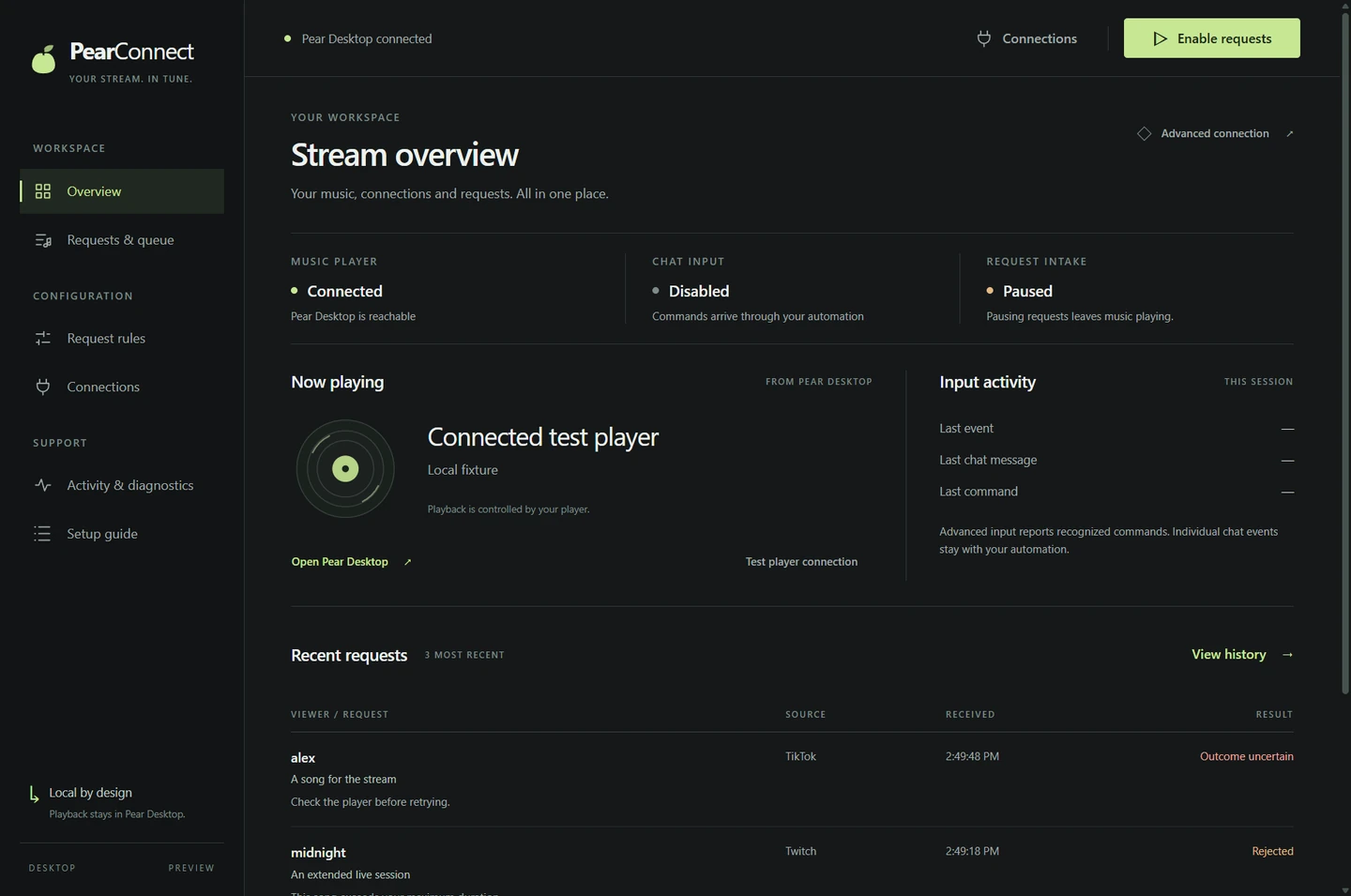
What does PearConnect Song Requests do?
- Use the desktop console or CLI with the same local request engine.
- Combine Twitch, TikTok through TikFinity, and YouTube Live requests under shared queue rules.
- Configure cooldowns, length checks, a blocklist and allowlisted skip controls.
- Use now-playing, next-track and live-player queue overlays, including a portrait TikTok Studio layout.
- Validate configuration and rehearse requests in dry-run mode before accepting live requests.
How do I install PearConnect Song Requests?
Before you install
- For a source checkout, use Node.js 22 or 24. The desktop build requires Node.js 22.12 or newer; the Windows portable bundle includes its runtime.
- Enable the Pear Desktop API plugin on localhost. TikTok Simple mode needs TikFinity on the same PC; Advanced mode uses Streamer.bot.
- Keep local environment files, player authorization tokens and platform credentials private.
The releases page provides the desktop builds. For the CLI source workflow, install dependencies and run the guided setup:
git clone https://github.com/foulfoxhacks/PearConnect-Song-Requests.git
cd PearConnect-Song-Requests
npm ci --omit=dev --ignore-scripts
npm run setup
# Rehearse without sending tracks to the player:
npm run start:dry-run -- --accept-requests
Follow the README for player authorization and platform configuration before switching from dry-run to live mode. Setup creates local configuration without overwriting an existing file.
What are the known limits?
- The README records an upstream YouTube Music Desktop 3.11.0 queue compatibility issue: an enqueue acknowledgement may arrive without a new player queue entry. Verify actual playback; the bridge does not repair the player.
- The YouTube adapter is unofficial and cannot reply in chat. TikTok Simple mode also has no chat-reply path. Select one TikTok input mode to avoid duplicate requests.
Where is the documentation?
What is the license?
The reviewed repository includes an MIT license. Platform accounts, player software and their terms remain separate requirements. Read the MIT license.
What changed recently?
The reviewed beta adds live-player queue overlays, portrait layouts, separate social tickers and desktop Discord Rich Presence.